🎈 Free · No login · All ages welcome

Learn English the fun, playful way

Product name pending is a colourful, voice-enabled game that helps learners of all ages — kids, teens and adult beginners — practise real English sentences by listening, speaking and playing, with a friendly animated buddy fox cheering them on.

🔊 Listen & Speak practice 🏆 10 fun levels 🔒 Safe & ad-free
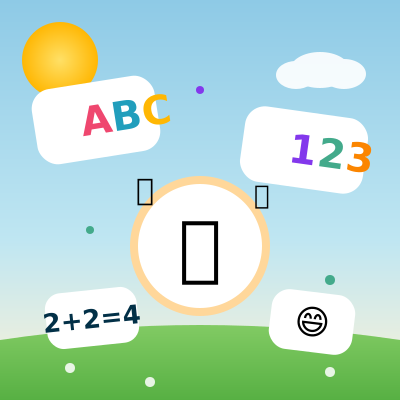
Colourful letters, numbers, a trophy and smiley faces floating above a sunny playground — learning through play

What is Product name pending?

Product name pending is a browser game built around one simple loop: a sentence is spoken aloud by an animated buddy fox, the child repeats it back using the microphone, and then a short game — matching pictures, putting words in order, flipping memory cards, counting objects — locks the sentence in before moving on. There's no textbook feel to it: no logins to remember, no scores to fail, just a few minutes of listening, talking and tapping that quietly builds real spoken English. Open it on a phone, a tablet or the family computer and it picks up exactly where your child left off.

Why we built it

Most English apps are either glorified flashcard decks or full of distracting pop-ups asking for a subscription. We wanted something anyone — from a five-year-old to an adult beginner — could open for ten minutes and actually practise saying English out loud — not just tap multiple-choice answers. That's why every lesson pairs a listening step with a speaking step before any game begins. Progress is saved in this browser rather than behind a login screen; pages and learning resources load from the same site and may require a network connection.

What's inside

The parts that actually make a difference during a lesson.

🔊

Listen, then Speak

Every sentence is read aloud first. Tap Speak and the child says it back; the buddy's mouth animates while it listens for a match.

🎮

Five kinds of mini-game

Picture match, word ordering, memory pairs, "find the object" and counting — mixed differently in every lesson so it doesn't get repetitive.

🦊

An animated buddy, not a mascot logo

The fox blinks, wags, cheers on a correct answer and offers a hi-five — small feedback that keeps learners of every age engaged without needing text.

Ten graded levels

From first letters and colours at Preschool age up to past/future tense and opinion-sharing sentences by Grade 6.

👨‍👩‍👧

Room for the whole family

Add a profile per learner — each one keeps its own curriculum stage, level and star count in this browser. Age is used only during onboarding and is not saved.

🔒

Nothing to sign up for

No account, no chat with strangers, no in-game purchases, and no advertising inside the game itself.

How a lesson actually plays out

Roughly what happens in the first minute after you tap Play.

1. A quick hello

No sign-up — just a name, an age and a class, so the buddy fox can pick a sensible starting level.

2. Choose a level

Levels are grouped by age and grade, from Preschool through Grade 6+, so the sentences are neither too easy nor too hard.

3. Listen, then say it back

Each lesson teaches a handful of sentences out loud, then asks the learner to repeat them into the microphone.

4. One quick game, then stars

A short mini-game checks understanding, and stars or a badge unlock the next lesson.

Ten levels, from first letters to full conversations

Difficulty stages for every age — a beginner starts at Level 1, a confident speaker jumps ahead, and anyone can move up whenever it feels too easy. School stages are shown only as a familiar guide.

🔤

Beginner (Level 1)

Letters A–P, colours, counting to eight, basic shapes. Perfect for first-time learners of any age. Guide: Preschool.

🐣

Early Words (Level 2)

First words, animal sounds, body parts, family words. Guide: Kindergarten.

🏷️

Simple Sentences (Levels 3–4)

"This is…", "I am…", pronouns like he/she/we/they. Guide: Grade 1–2.

Questions & Tenses (Levels 5–7)

Questions, prepositions, past tense, future tense, comparisons. Guide: Grade 3–5.

🌍

Everyday Fluency (Levels 8–10)

Everyday stories, opinions, neighbourhood and nature talk. Guide: Grade 6+.

Common questions

Is it really free?

Payments or subscriptions available: No.

What age is it for?

Intended audience: Pending owner confirmation.

Does it work without an internet connection?

Once a page has loaded, lessons and games run entirely in the browser — handy for a car ride or a spot with patchy Wi-Fi.

Do I need to install anything?

No. It's a website, not an app store download — open it in a browser on a phone, tablet or computer.

Which browser works best for speaking practice?

Google Chrome has the most reliable speech recognition. In other browsers, you can still complete lessons using Listen and the games.

Built with safety in mind

  • No account or login. The current build has no active analytics, advertising, tracking or telemetry; application resources load from the same site, while infrastructure handling depends on the actual deployment.
  • Tapping "Speak" starts browser or platform speech recognition, which may use an external provider and continues until a result, error, timeout or cancellation. LearnKidAi does not directly upload raw microphone audio through an application endpoint or save raw audio or transcripts.
  • No chat, no in-game purchases, no links to strangers.
  • You can reset all progress at any time from Settings.

Read our Draft Privacy Information and Draft Terms Information for details.

Ready for an English adventure?

It's free, it's fun, and it only takes a tap to begin.

🚀 Start Game Now
🚀 Play Now